AWS CloudWatch Billing Alarm
Introduction
In the cloud computing environment, particularly on AWS (Amazon Web Services), it is crucial to manage and control costs effectively. One of the primary concerns for organisations and individuals using AWS is ensuring that they do not unintentionally exceed their budget. AWS offers numerous services, and without proper monitoring, costs can easily spiral out of control. This is where AWS CloudWatch Billing Alarms come into play.
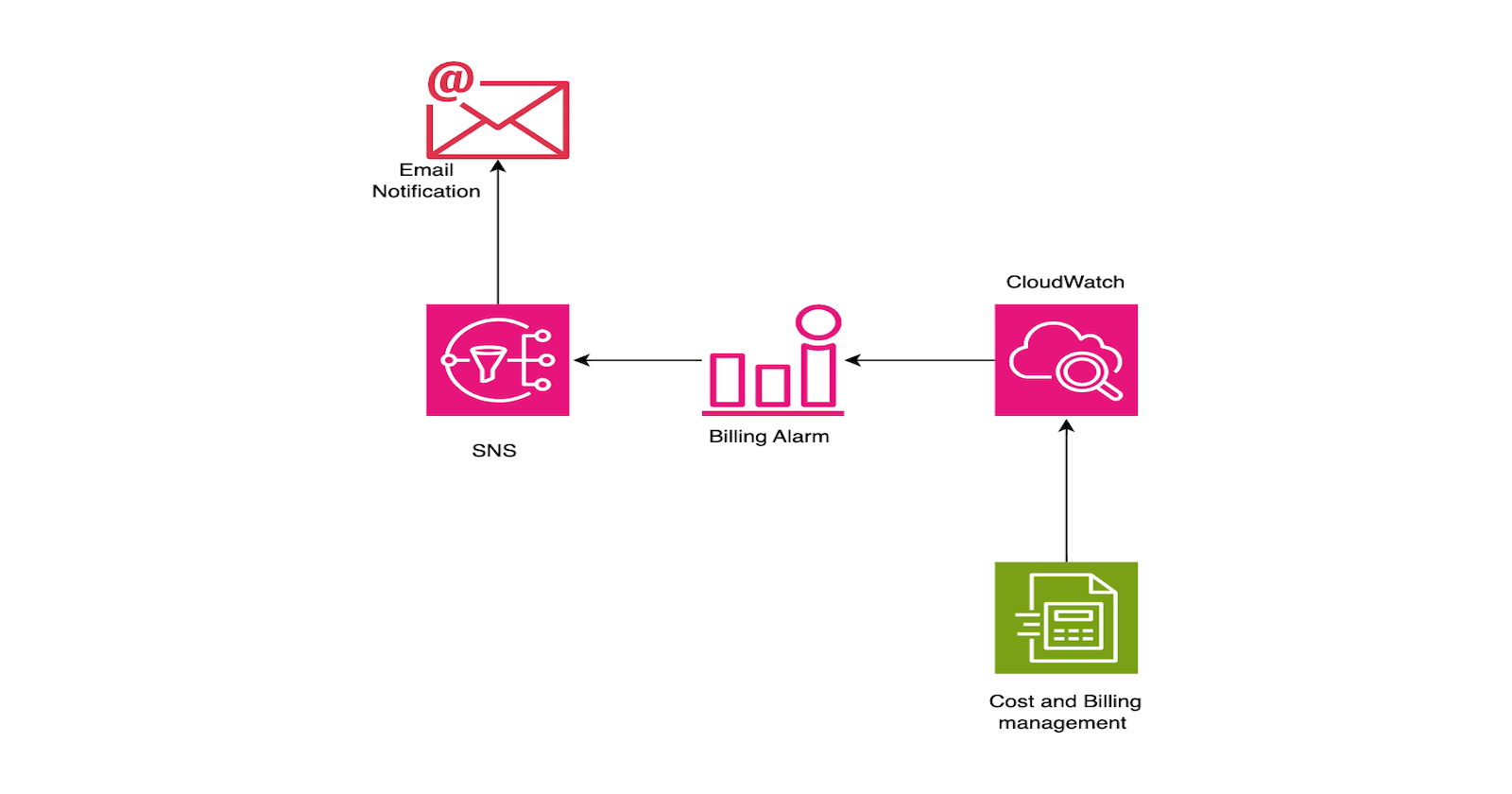
A CloudWatch Billing Alarm helps monitor your AWS usage and sends notifications when your costs approach or exceed a set threshold. By configuring these alarms, you gain insights into your usage patterns and can take action to prevent unnecessary expenses. This makes billing alarms an essential tool in cost optimisation and budgeting within AWS.
How It Helps
Cost Control: AWS operates on a pay-as-you-go pricing model, which, while beneficial, can sometimes lead to unintended overspending. Billing alarms mitigate this risk by providing notifications before you reach your budgetary limits, allowing for informed decision-making and resource management.
Usage Monitoring: With a multitude of AWS services in operation, keeping a comprehensive track of every resource can be challenging. Billing alarms offer a consolidated overview of your overall usage, facilitating better awareness and helping you avoid surpassing your budgetary constraints.
Proactive Notifications: These alarms are designed to alert you via email or SMS when your spending approaches or exceeds the designated threshold. This proactive approach empowers you to take immediate action, whether that entails adjusting resource utilisation or revising budgetary parameters, ultimately promoting financial prudence.
Prevent Unexpected Charges: It is not uncommon for users to overlook unused services that continue to run in the background, accruing charges without their knowledge. Billing alarms play a critical role in identifying these dormant services early, allowing you to eliminate unnecessary costs and streamline your expenditure.
Support for Scaling: As your utilisation of AWS increases, CloudWatch Billing Alarms become instrumental in tracking cost escalations. They provide essential insights that aid in strategic planning for scaling your infrastructure, ensuring that you can accommodate growth without encountering unwelcome financial surprises.
Step-by-Step Process for Setting Up CloudWatch Billing Alarms
Enable Billing Alerts
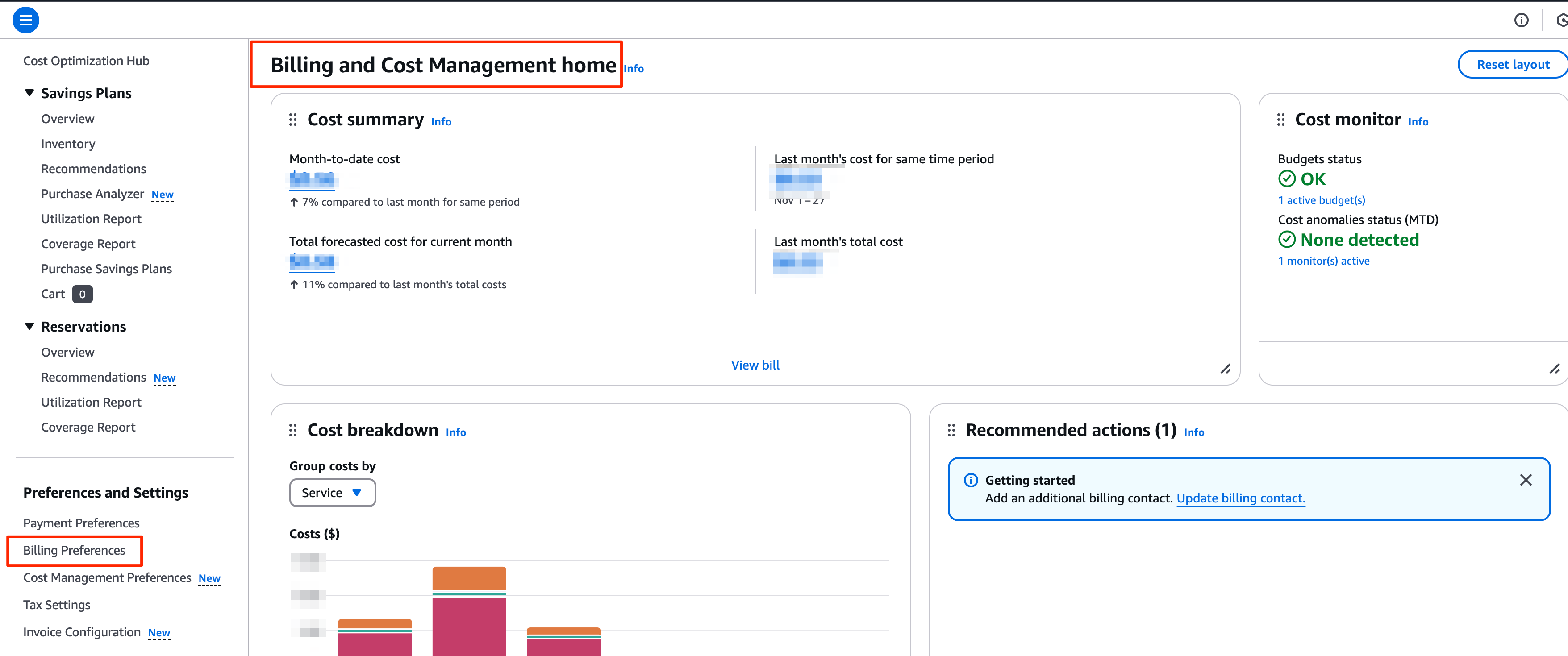
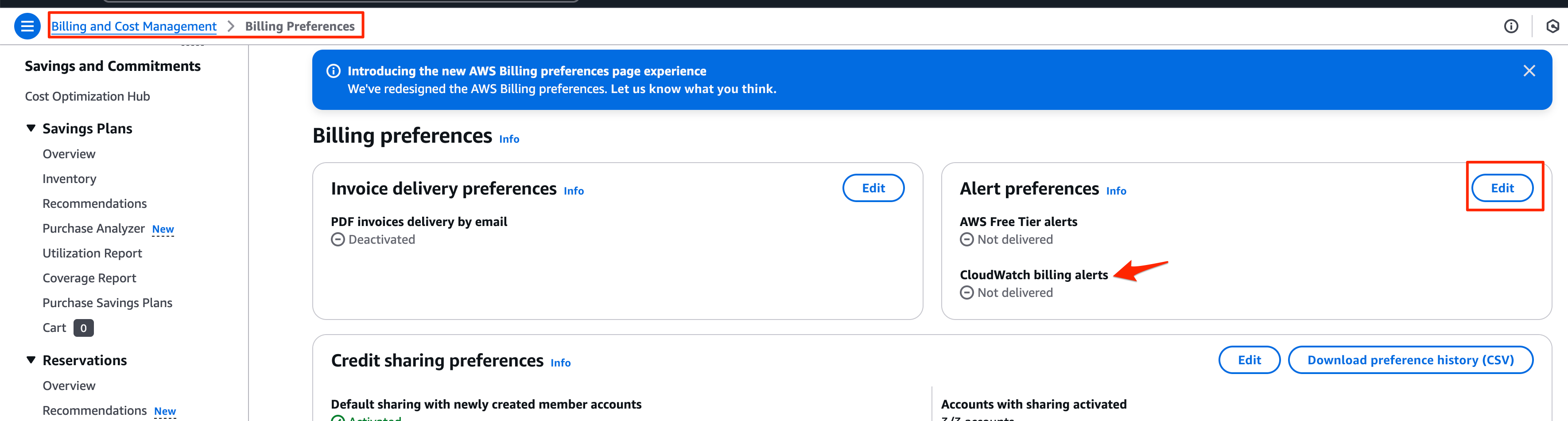
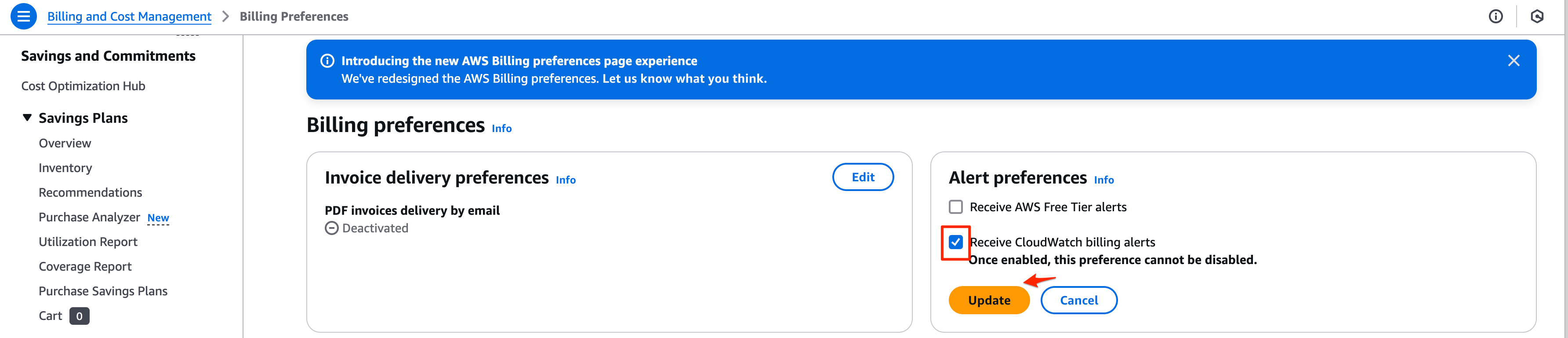
Before setting up the billing alarm, we first need to enable billing alerts in the billing preferences. This can be done by accessing the “Billing and Management” dashboard after logging into the AWS Management Console.

Setup SNS Topic and Subscription
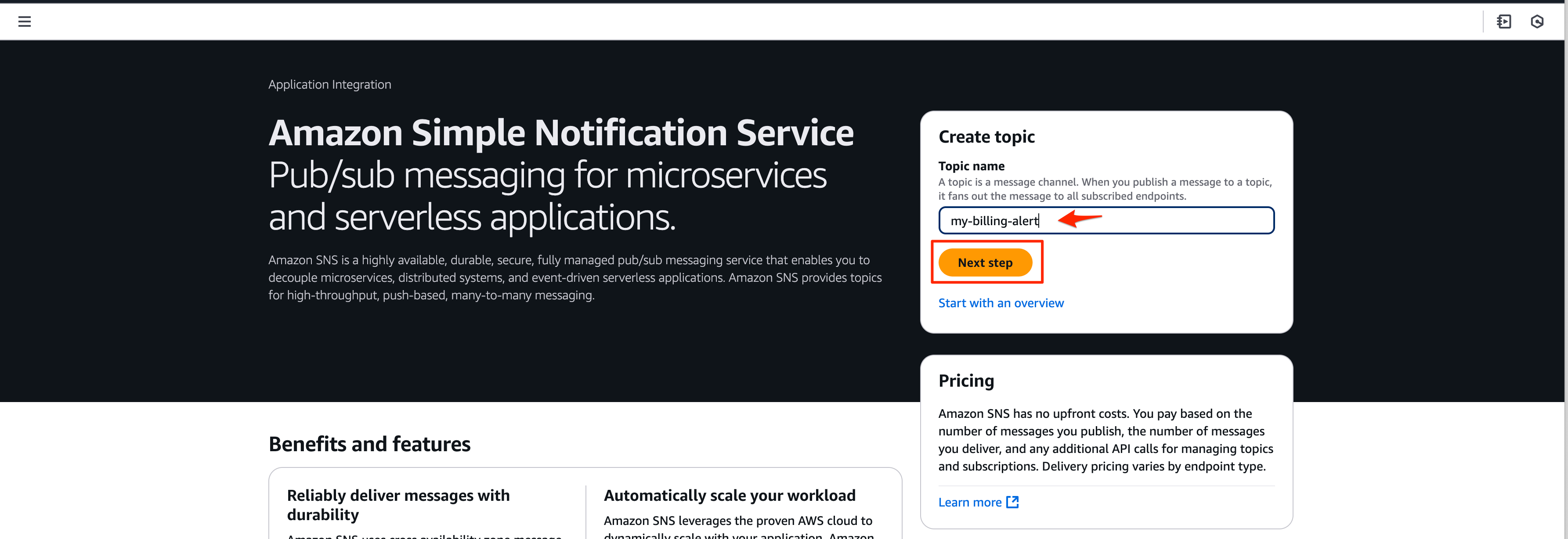
Move to the Amazon Simple Notification Service (SNS) console and provide the topic name you wish to create.
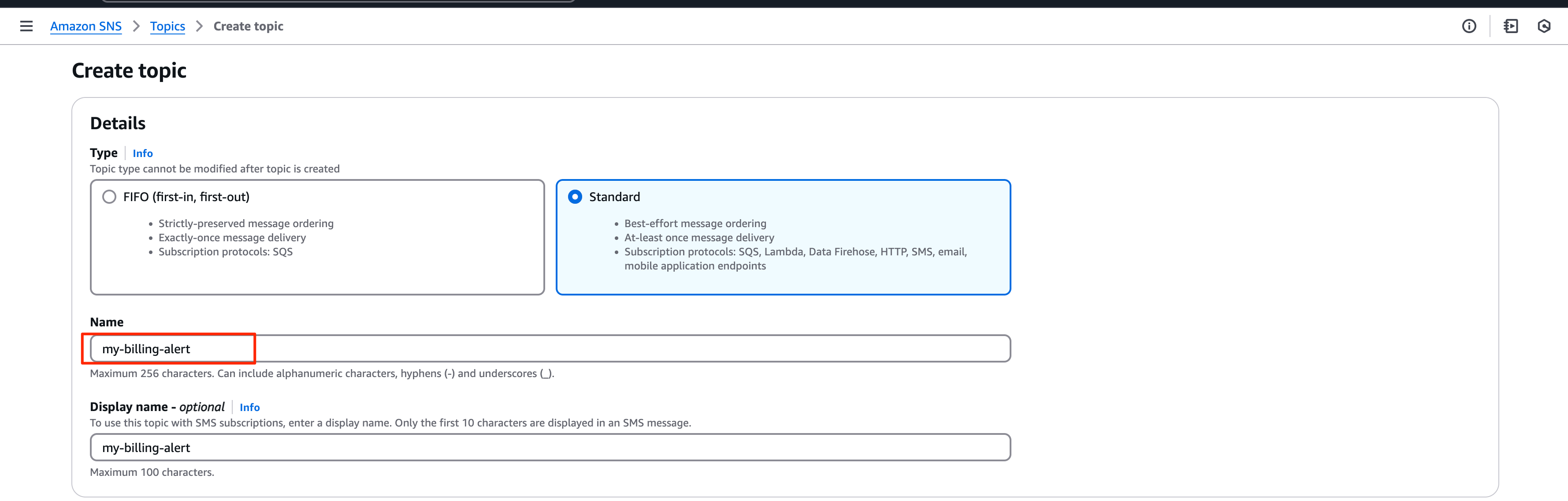
Scroll down the end of the page and click “Create Topic”
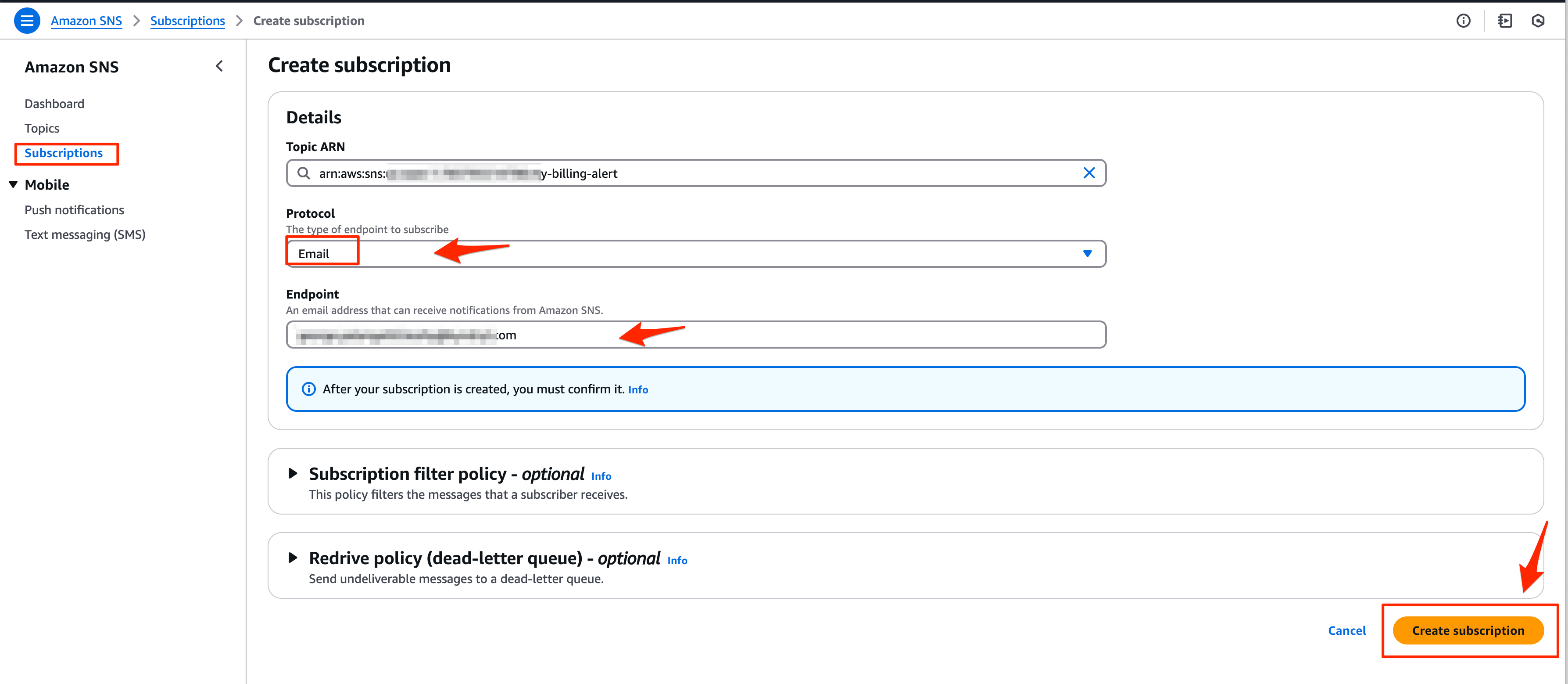
Select the subscription section from the left pane and provide the required protocol and endpoint for the subscription. In this instance, I am using email as the protocol and have provided my email address for the endpoint.
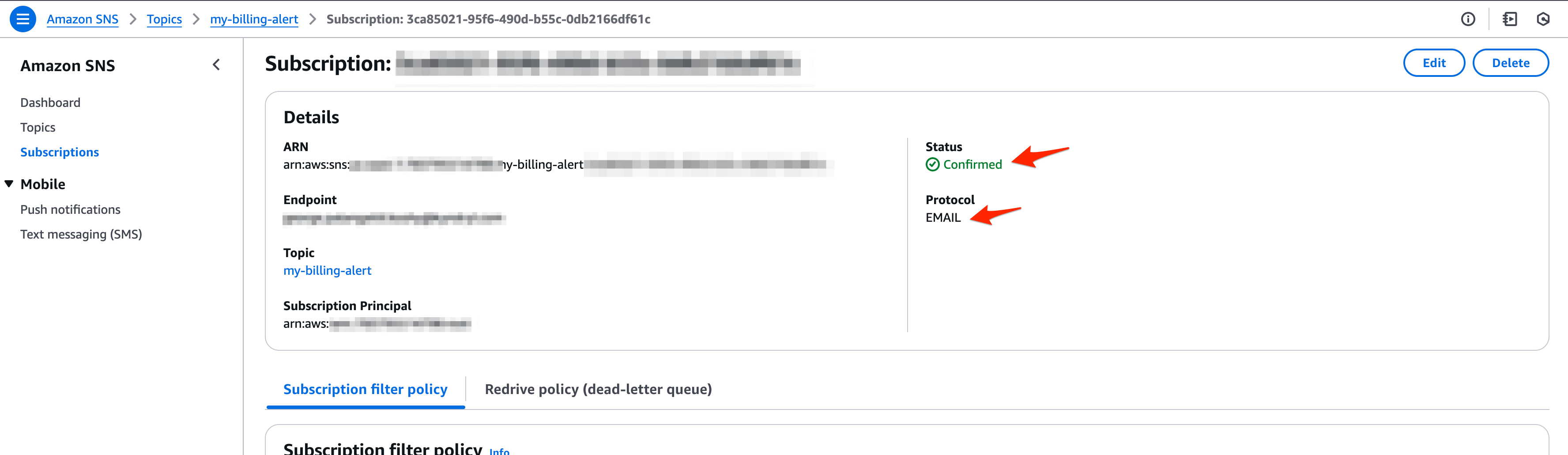
Confirm the subscription and its ready
Final Step: Create a Billing Alarm
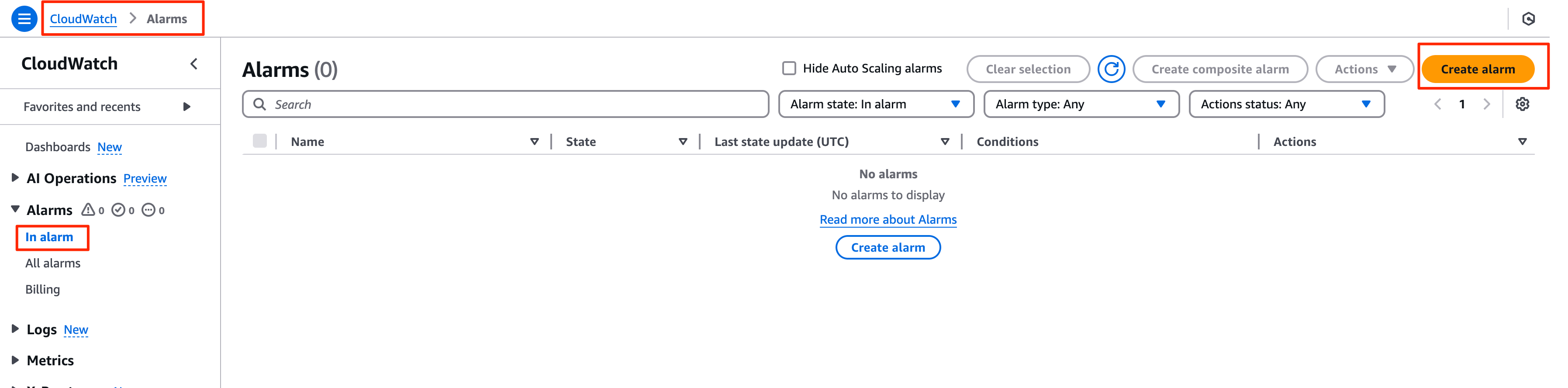
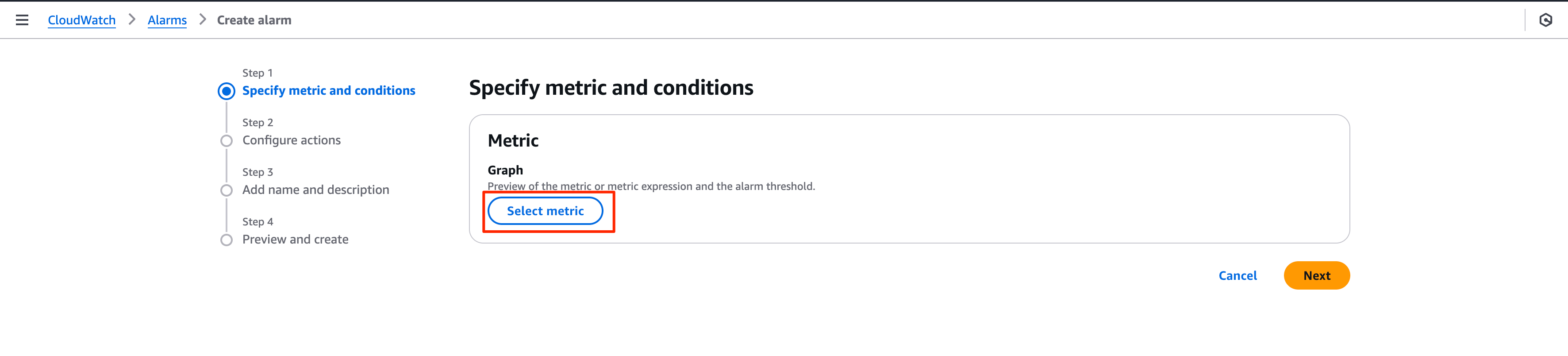
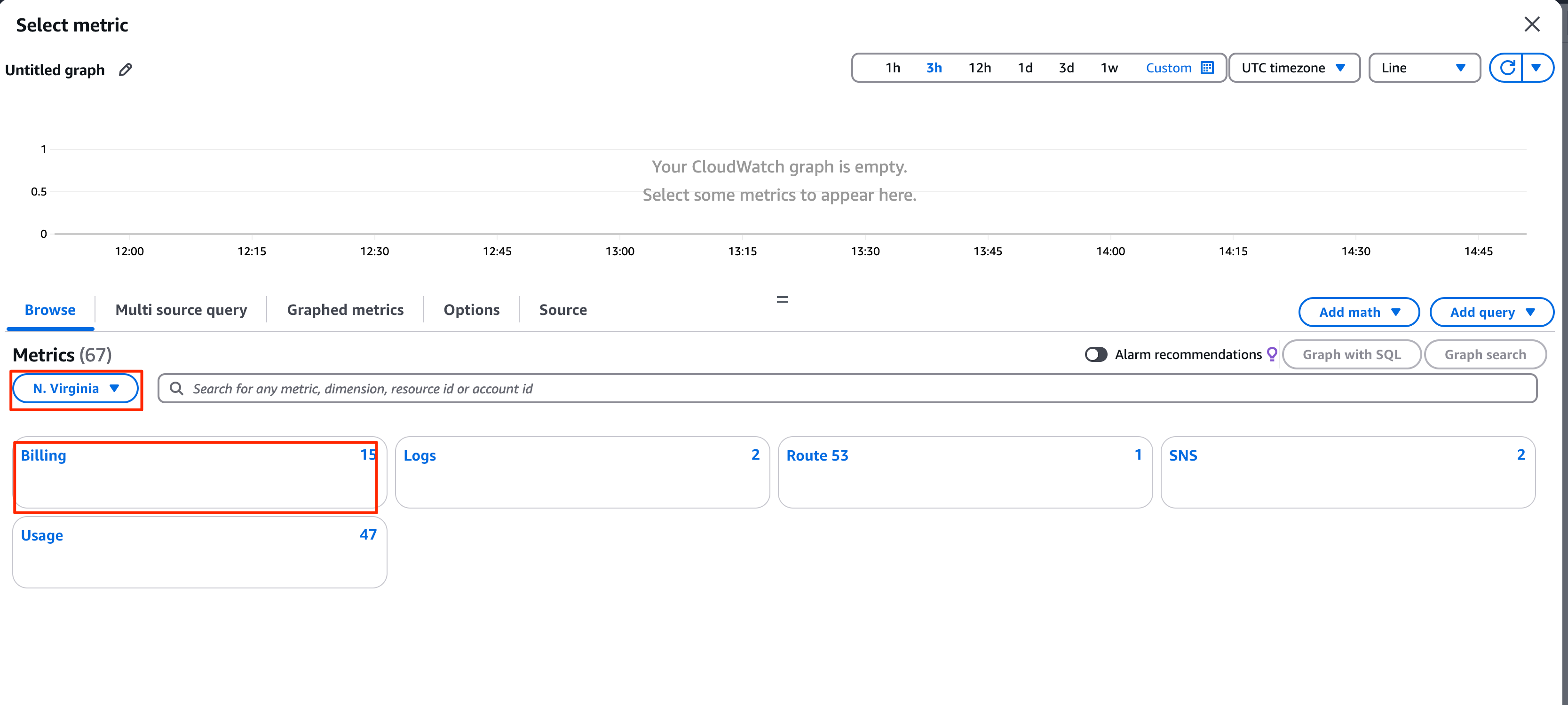
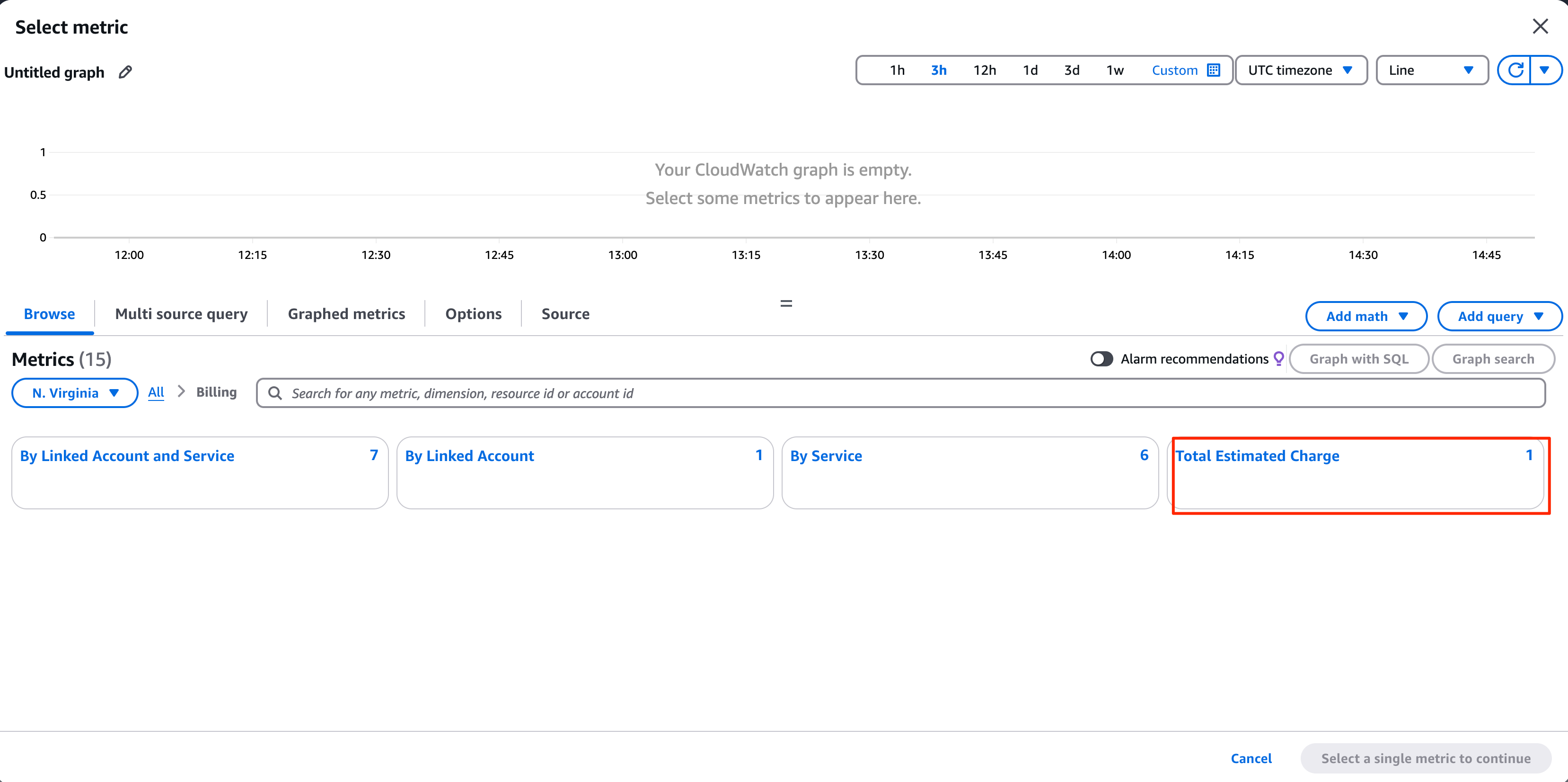
Move to the CloudWatch console and click on Create Alarm on the Alarm Section.
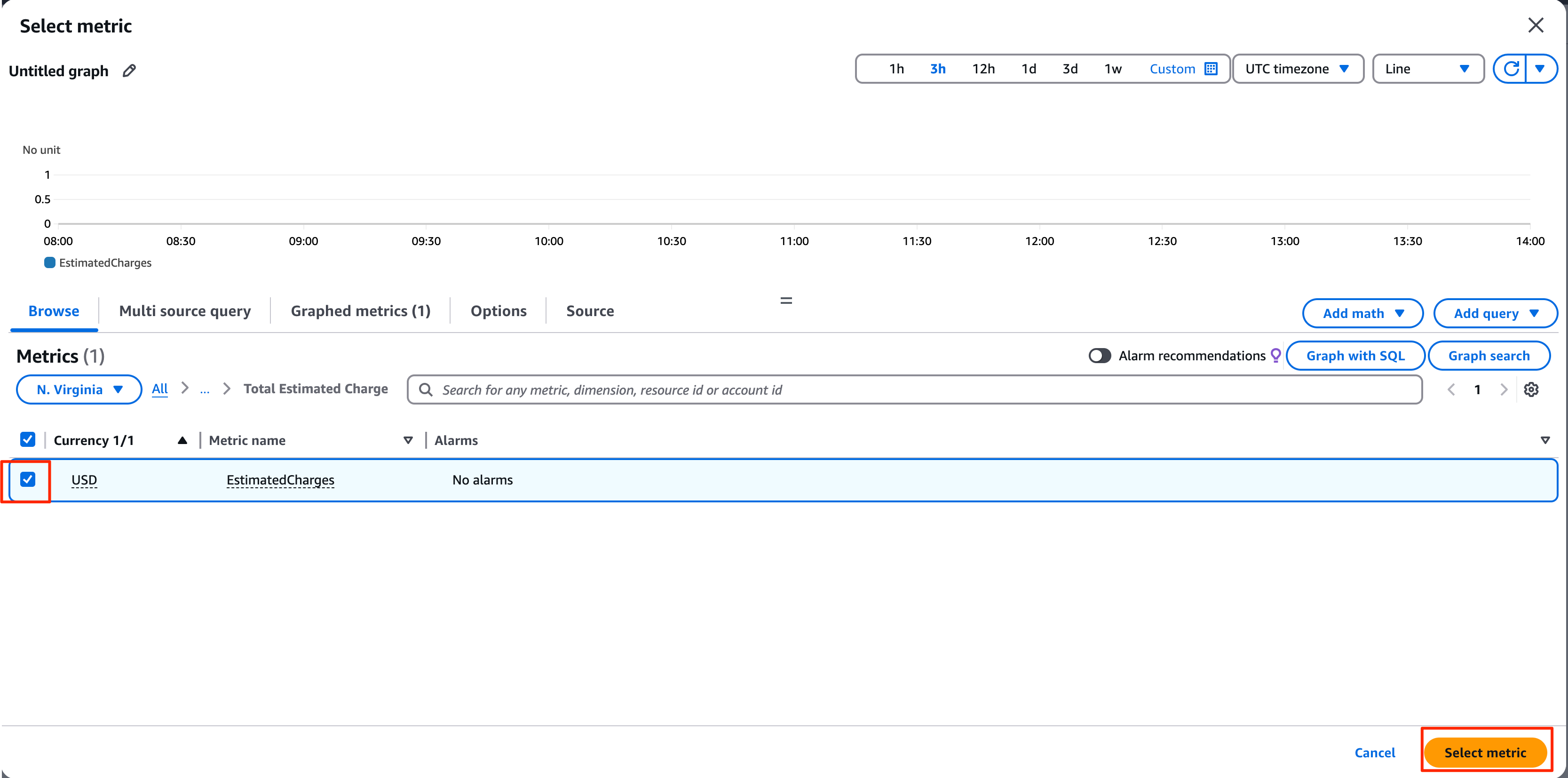
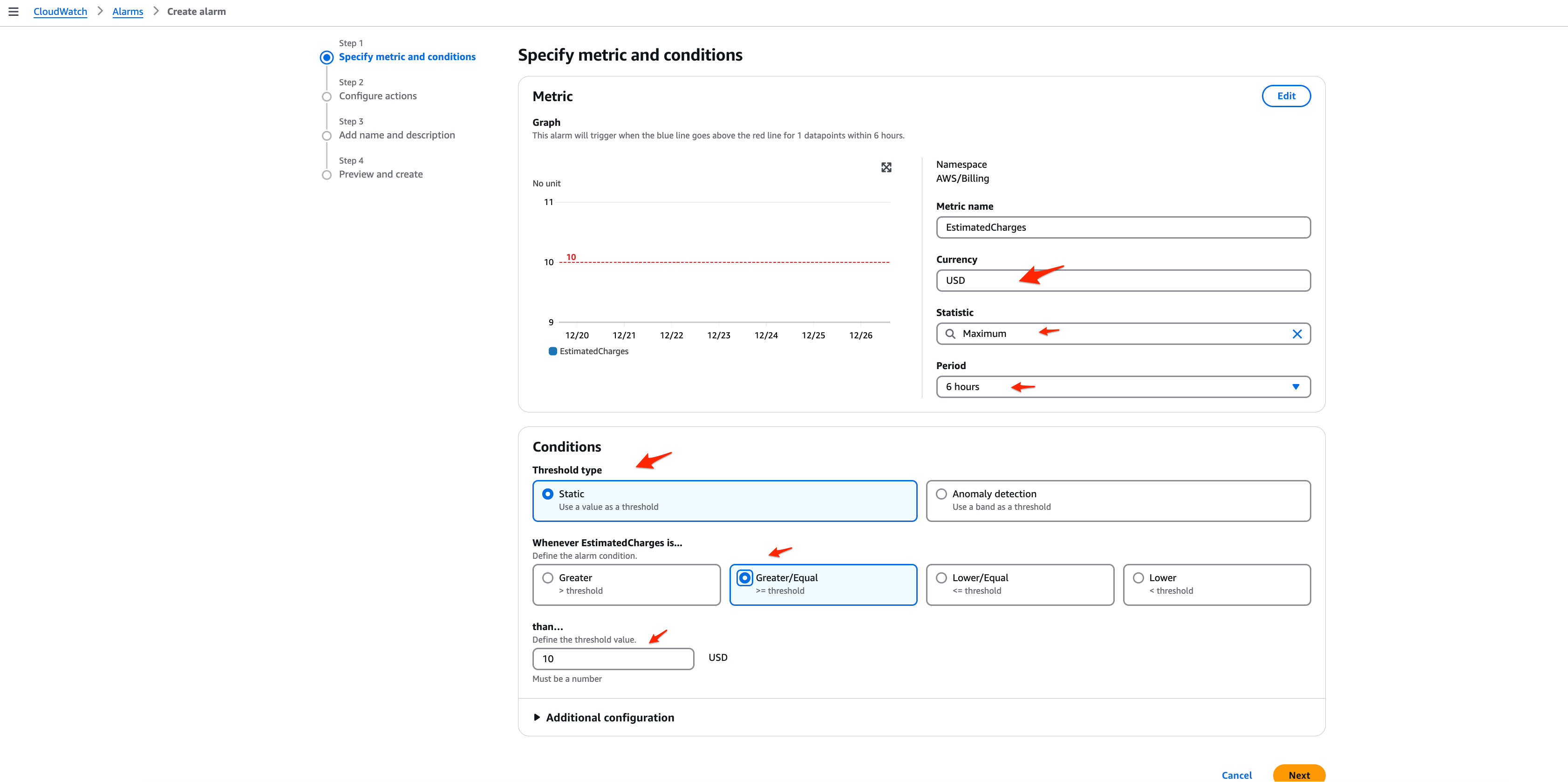
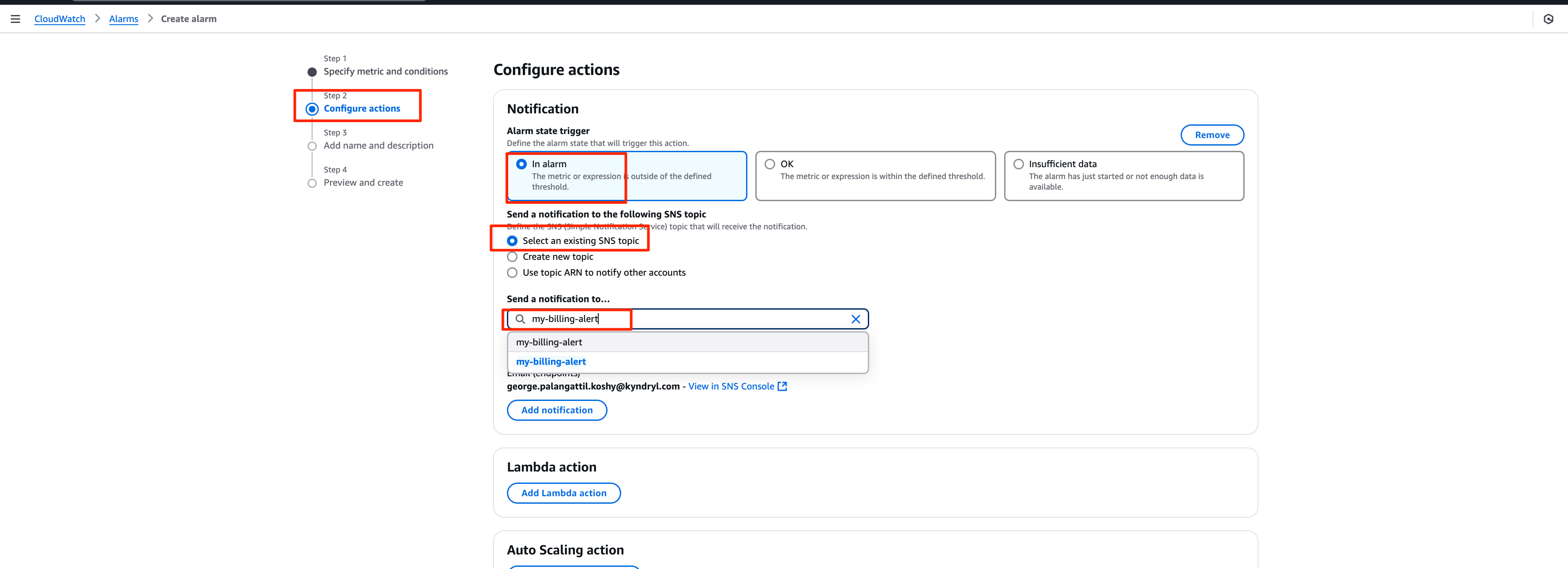
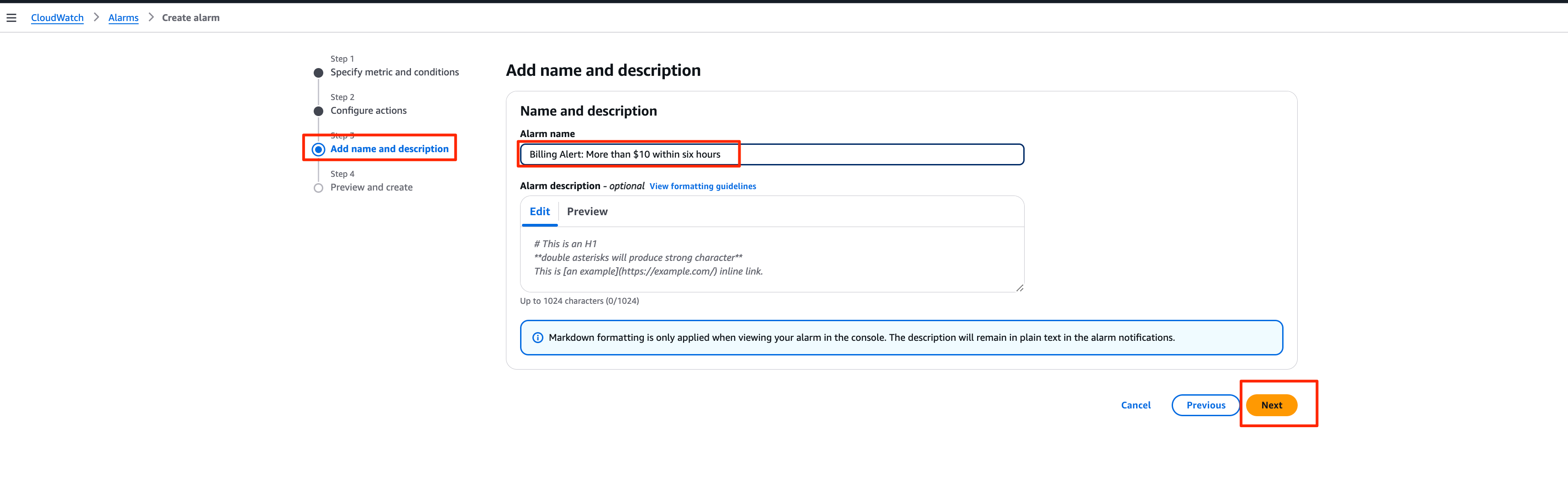
Review and create alarm
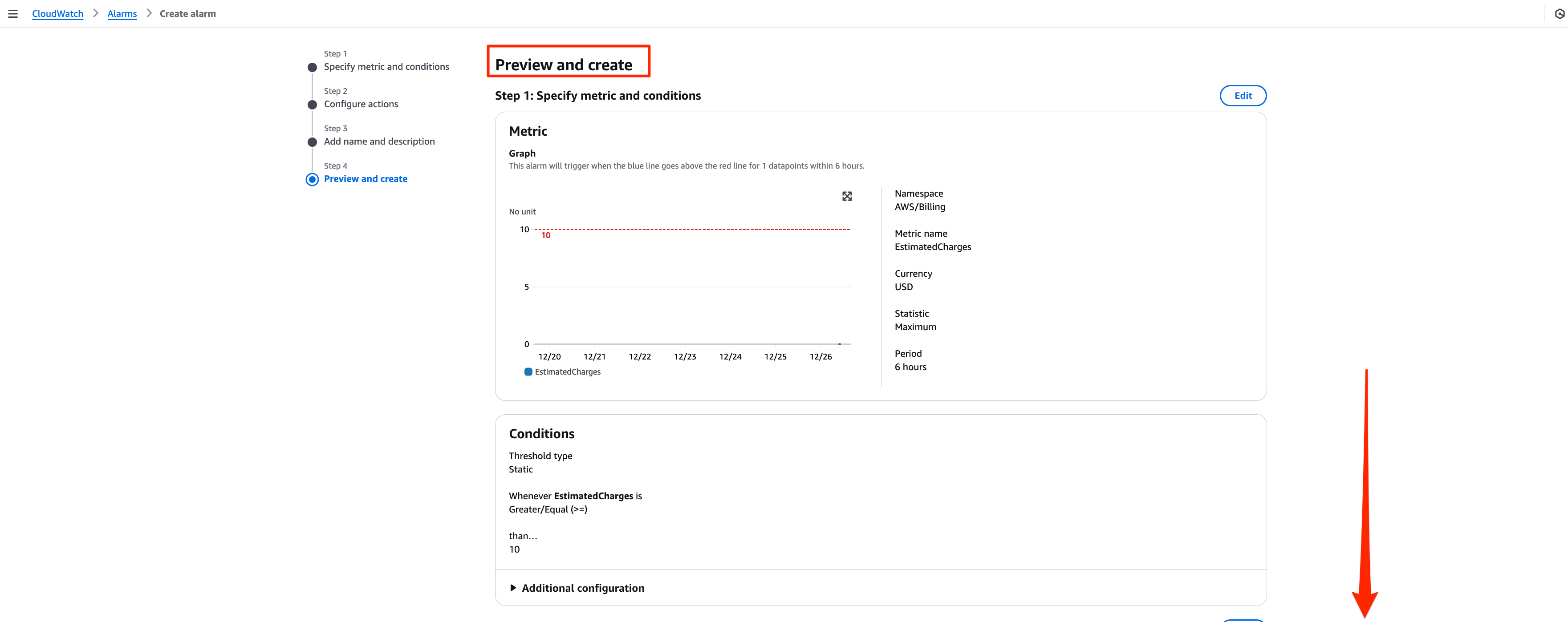
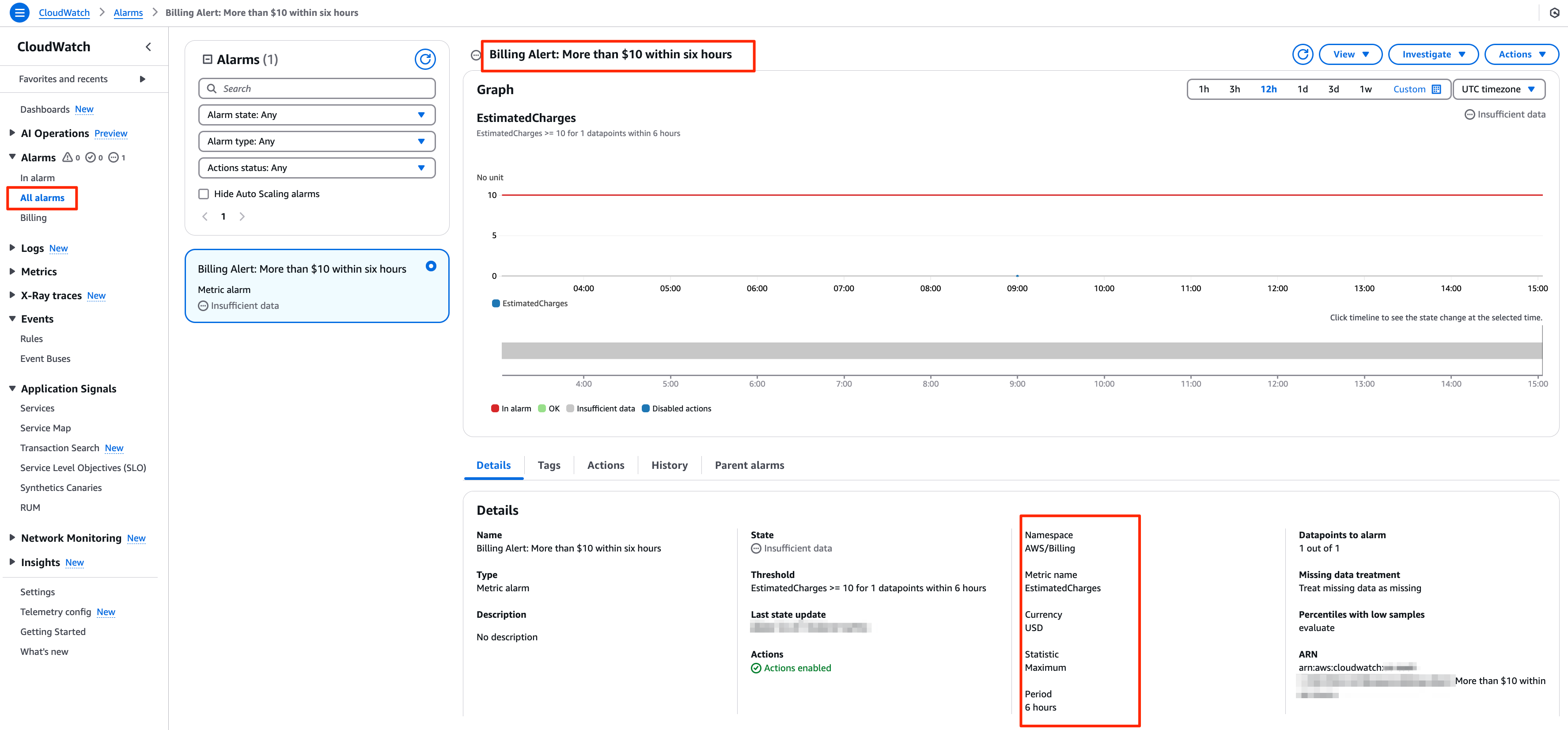
wait for a while for CloudWatch collect the data and you will see the alarm action enabled.

Monitoring and Managing the Alarm
Once the alarm is set up, it will actively monitor your billing. You can view the status of the alarm in the CloudWatch Console under the Alarms section. If triggered, you will receive a notification based on your configured settings. You can also modify or delete the alarm at any time by going back to the Alarms section. But remember you can’t rollback the “CloudWatch Billing Alerts”. Once it enabled, this preference cannot be disabled.
Conclusion
AWS CloudWatch Billing Alarms are a vital tool for anyone using AWS, allowing you to monitor and control costs effectively. By setting up billing alarms, you can ensure you are always aware of your cloud expenditure and avoid exceeding your budget unintentionally. This proactive approach to cost management is particularly important for businesses and individuals using multiple AWS services.
The setup process involves enabling billing alerts, creating a billing alarm in CloudWatch, and configuring notifications via SNS. Once configured, the billing alarm helps keep your cloud expenses under control, sending notifications when thresholds are crossed, helping you to optimise your AWS spending.
Please remember to delete the resources you created if you did it for learning purposes to avoid unnecessary costs on your account.
Comments
Join the discussionNo comments yet. Be the first to comment.


